Home internet in the UAE is fast, but the Wi-Fi inside many villas and offices is not. Thick concrete walls, several floors and long distances from the router leave rooms with a weak signal. The fix is usually the right equipment in the right place. Computer and IT shops in Abu Dhabi and Sharjah sell routers, mesh systems, switches and cabling for homes and businesses.
What networking equipment do you need?
- Router: the router supplied with your internet package works for a small flat. A better Wi-Fi 6 or Wi-Fi 6E router gives faster speeds and handles more devices.
- Mesh Wi-Fi system: two or three units that work together to cover a villa or large flat with one network name. The best fix for dead zones.
- Access points: ceiling or wall units connected by cable, used in offices, shops and large villas for reliable coverage.
- Network switches: add more wired ports for computers, printers, TVs and CCTV. PoE switches also power cameras and access points through the cable.
- Cables and accessories: Cat6 cable, patch panels, racks and connectors for a tidy, fast wired network.
How do you fix weak Wi-Fi in a villa?
- Move the router: place it in a central, open spot, not inside a cabinet or at the far end of the house.
- Use mesh or access points: one unit per floor or per large area usually covers a villa. Units connected by cable perform best.
- Avoid cheap range extenders: they are easy to install but often halve the speed.
- Wire fixed devices: connect TVs, desktop computers and game consoles by cable to free up Wi-Fi.
Setting up an office network
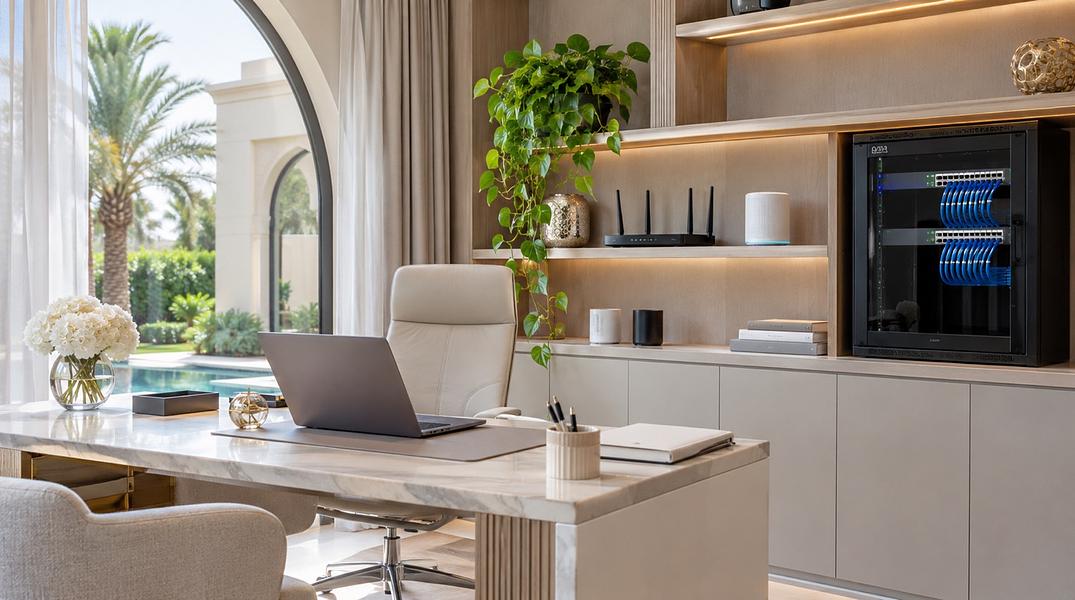
For an office or shop, plan the cabling before fit-out: data points for each desk, a small rack with a switch and patch panel, ceiling access points and a firewall or business router. Ask the installer to label every cable and give you a simple network diagram and the admin passwords. Keep guest Wi-Fi separate from the network your computers and payment terminals use.
What should you check before you buy?
Check the Wi-Fi standard (Wi-Fi 6 or newer), the number of devices it supports, the warranty and whether the device works with your internet provider's line. Wireless devices sold in the UAE should be approved by the TDRA. With used equipment, reset it to factory settings, update the firmware and check it is not locked to a provider.
Find networking equipment on TradoO
- Networking equipment in Abu Dhabi
- Networking equipment in Sharjah
- Laptops, desktops and accessories in Abu Dhabi
- Buying a laptop in the UAE: new or used
Frequently asked questions
Is mesh Wi-Fi better than a range extender?
Usually yes. Mesh units work as one network and manage connections between them, so speeds stay higher across the house. Extenders often cut speed in half.
Can I use my own router in the UAE?
In many cases yes, either in place of or behind the provider's router. Check with your provider which settings are needed before you buy.
What cable should I use for a new office?
Cat6 is the common choice today. It supports gigabit speeds and higher over normal office distances.