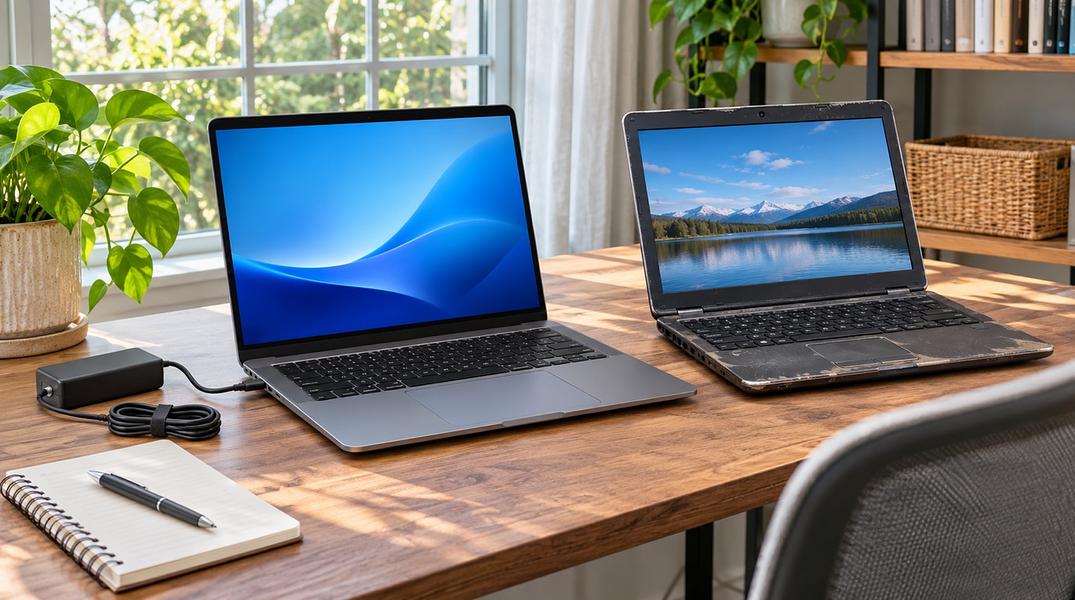
Laptops are one of the most traded items in the UAE. Students, offices and people leaving the country sell good machines every week, and computer shops in Abu Dhabi, Dubai and Sharjah sell new, refurbished and used stock side by side. Knowing which specs you need, and what to check on a used laptop, helps you avoid paying for power you will not use or buying a machine with hidden problems.
Which laptop specs matter?
- Processor: a recent Intel Core i5, AMD Ryzen 5 or Apple M-series chip is enough for most study and office work. Video editing and gaming need more.
- Memory (RAM): 8 GB is the minimum for comfortable use today, and 16 GB is better if you keep many tabs and programs open.
- Storage: choose an SSD, not a hard disk. 256 GB is tight; 512 GB suits most people.
- Screen: Full HD (1920 x 1080) or better. Check the brightness if you work near windows.
- Battery and weight: important for students and anyone who carries the laptop every day.
- Keyboard layout: many laptops in the UAE come with an English and Arabic keyboard; check which you prefer.
New, refurbished or used?
A new laptop comes with the full manufacturer warranty and a clean battery. A refurbished laptop has been checked and repaired by a shop or the manufacturer and usually comes with a shorter warranty; it is often good value for office use. A used laptop from a private seller is usually the cheapest, but you take on more risk, so the checks below matter more. Business models from well-known brands are often built to last and can be a smart used buy.
What should you check on a used laptop?
- Specs: open the system information and confirm the processor, RAM and storage match the advert.
- Battery health: check the battery report or settings for wear and cycle count, and see how long it lasts unplugged.
- Screen: look for dead pixels, lines, bright spots and damage to the hinges.
- Keyboard, touchpad and ports: test every key, the USB ports, charging, Wi-Fi, speakers and camera.
- Accounts and locks: make sure the laptop is not locked to the seller's Apple ID, Microsoft account or a company management system.
- Charger and invoice: an original charger and the purchase invoice are good signs that the laptop is genuine.
Tips before you pay
- Meet in a public place or at the seller's shop, and test the laptop on charger and on battery.
- Ask whether any warranty is left and whether it transfers to you.
- Ask the seller to reset the laptop in front of you, or plan to reset it yourself.
- Compare the price with similar adverts before you agree a deal.
- For businesses buying several laptops, ask the shop about a bulk price and an invoice with VAT.
Find laptops on TradoO
- Laptops and computers in Abu Dhabi
- Laptops and computers in Sharjah
- Laptops and computers in Dubai
- Printers and scanners in Abu Dhabi
Frequently asked questions
Is it safe to buy a used laptop in the UAE?
Yes, if you test it before paying. Check the specs, battery, screen, keyboard and ports, make sure it is not locked to the seller's account, and ask for the charger and invoice.
How much RAM does a laptop need for university?
8 GB is enough for documents, browsing and online classes. 16 GB is better for engineering, design or programming software.
What is the difference between refurbished and used?
A refurbished laptop has been checked and repaired by a shop or the manufacturer, and usually has a warranty. A used laptop is sold as it is, often by a private seller.